
Tool
Embroidery Hoop Size Finder
4×4, 5×7, 6×10 and 8×12 hoops, in millimetres and inches
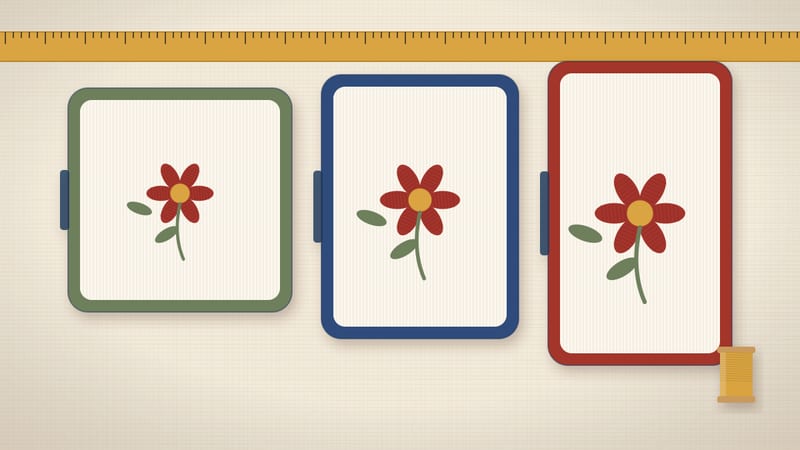
Chart
Brother embroidery machines by hoop class
6 machines
| Model | Type | Hoop | Status | Note |
|---|---|---|---|---|
| Brother SE700 | Sewing + embroidery | 4×4 in (100 × 100 mm) | Current | — |
| Brother PE900 | Embroidery only | 5×7 in (130 × 180 mm) | Current | Embroidery only; the embroidery unit detaches |
| Brother SE2000 | Sewing + embroidery | 5×7 in (130 × 180 mm) | Current | — |
| Brother PE800 | Embroidery only | 5×7 in (130 × 180 mm) | Discontinued | No Amazon link: third-party sellers only |
| Brother Skitch | Embroidery only | 4×4 in (100 × 100 mm) | Current | Magnetic 4×4 frame; designs come through the Artspira app |
| Brother SE600 | Sewing + embroidery | 4×4 in (100 × 100 mm) | Discontinued | See what replaced it |
No machines match this filter.
Hoop sizes and status checked against Brother spec pages on 2026-10-25.
Enter your design width and height, in inches or mm. The finder returns the smallest hoop class whose Brother field holds it, in either orientation. Past 200 × 300 mm, it tells you how many parts to split it into.
Our assumptions
- Inch sizes you type are converted at 1 in = 25.4 mm exactly.
- Each hoop class is checked against the field Brother lists in mm: 100 × 100, 130 × 180, 160 × 260 and 200 × 300.
- We never turn the inch class name into mm. A 5×7 in hoop is 130 × 180 mm, not 127 × 178 mm.
- A design fits if it fits after a 90° turn.
- Machine rows come from Brother spec pages, checked on 2026-10-25.
How the numbers work
The rule is two comparisons. Your width must fit the field width and your height the field height. Or, turned 90°, width against height and height against width.
The finder tries the 4×4 in class first, then 5×7, 6×10 and 8×12. The first class that passes is your answer. Smaller hoops hold fabric tighter, so the smallest fit is usually best.
Say your design is 4.5 × 6 in. That is 114.3 × 152.4 mm. It is too big for 100 × 100 mm, but fits 130 × 180 mm. So the answer is 5×7 in.
If nothing fits up to 200 × 300 mm, the finder counts parts. It divides the long and short sides by the 8×12 in field and rounds up. A 400 × 250 mm design needs 4 parts that way.
| Hoop class | Brother field (mm) | Field in inches | Brother models here |
|---|---|---|---|
| 4×4 in | 100 × 100 | 3.94 × 3.94 | SE700, SE600, Skitch PP1 |
| 5×7 in | 130 × 180 | 5.12 × 7.09 | PE900, SE2000, PE800 |
| 6×10 in | 160 × 260 | 6.30 × 10.24 | Larger single-needle models |
| 8×12 in | 200 × 300 | 7.87 × 11.81 | Larger single-needle models |
| Design size | In mm | Smallest class | Why |
|---|---|---|---|
| 3 × 3 in | 76.2 × 76.2 | 4×4 in | Under 100 mm both ways |
| 4 × 4 in | 101.6 × 101.6 | 5×7 in | Just over 100 mm, so 4×4 in fails |
| 4.5 × 6 in | 114.3 × 152.4 | 5×7 in | Under 130 × 180 mm |
| 7 × 5 in | 177.8 × 127 | 5×7 in | Fits once turned |
| 6 × 9 in | 152.4 × 228.6 | 6×10 in | Over 130 mm on both sides |
| 8 × 11 in | 203.2 × 279.4 | Split | Over 200 mm on both sides |
Where to find your design size
Your design file carries its own size. Embroidery software shows width and height when you open it. Many design shops list the size next to each file too.
Use the stitched size, not the canvas size. Some files have empty space around the design. That space does not stitch, but some machines still count it.
If a shop lists sizes in inches only, type them in inches. The finder converts at 25.4 mm per inch. If it lists mm, switch the unit and type mm.
Shops often sell one design in several sizes. Pick the largest one that fits your hoop class. Larger versions usually stitch with more detail.
Why the inch name is not the field
Hoop classes are named in inches, but the stitchable field is a little different. Brother lists the 4×4 in field as 100 × 100 mm. Converted, 4 in would be 101.6 mm.
The 5×7 in class runs the other way. Brother lists 130 × 180 mm, slightly more than 5 × 7 in converted. So converting the name gives the wrong answer at both sizes.
That is why the finder uses Brother's mm values directly. A design of exactly 101 mm sounds like it fits 4×4 in. It does not.
Turning a design
Most machines let you rotate a design on screen before stitching. A wide design can then use the long side of the field.
Take a 170 × 120 mm border. Laid flat, 170 mm is wider than 130 mm. Turned, it becomes 120 × 170 mm and fits 130 × 180 mm.
Rotating changes how the fabric sits in the hoop. Hoop the fabric so the design runs along the long side. Check the grain before you clamp it.
When to split a design
If a design is over 130 mm on both sides, a 5×7 in machine cannot stitch it in one go. You have three choices: resize it, split it or use a larger hoop class.
Resizing works for small overshoots, up to about 10%. Past that, stitch density changes and detail suffers. Many digitizers advise against large resizes on the machine.
Splitting means two or more hoopings with alignment marks. It takes practice and careful placement. Large quilt blocks and jacket backs are often done this way.
A 6×10 in machine holds 160 × 260 mm. That covers many designs that need two parts on a 5×7 in machine.
Leave a little room
A design that matches the field exactly fits on paper. In practice, placement gets tight. You cannot nudge it at all once it is hooped.
A few millimetres of margin on each side makes life easier. You can shift the design to center it on a pocket or a towel band.
Margin also helps with stabilizer and fabric bulk. Thick towels and fleece push against the hoop edge. A smaller design avoids the presser foot hitting the frame.
So if the finder says 5×7 in for a 128 × 178 mm design, that is correct. Still, consider trimming it to 120 × 170 mm for an easier first stitch-out.
Common hoop-size mistakes
- Converting the hoop name to mm. Use Brother's listed field instead.
- Forgetting to rotate. A wide design often fits when turned.
- Reading the canvas size, not the stitched size.
- Buying a larger hoop that does not attach to your model. Check Brother's accessory list.
- Expecting a bigger hoop on a machine whose spec page lists a smaller class.
Each of these gives a wrong answer by only a few mm. A few mm is often the difference between one hooping and two.
Pick a class for your projects
- 4×4 in (100 × 100 mm): small logos, patches, napkin corners and baby items.
- 5×7 in (130 × 180 mm): left-chest logos, towel borders, tote panels and bibs.
- 6×10 in (160 × 260 mm): larger tote designs, cushion fronts and quilt blocks.
- 8×12 in (200 × 300 mm): jacket backs and large wall pieces, often still split.
If most of your designs fall in the 5×7 in group, the PE900 and SE2000 both fit. If 4×4 in is enough, the SE700 lists a 100 × 100 mm field and also sews.
Using the chart above
The chart under the finder lists the Brother machines we track. Each row shows the machine type, the largest hoop class and whether Brother still makes it.
Filter by hoop class to see every model that takes it. Then check the type. Combo machines sew and embroider. Embroidery-only machines need a separate sewing machine.
Status matters for spares. A current model is sold new and its accessories stay easy to find. A discontinued one turns up used.
Every value in the chart carries a check date from Brother's pages. If a row ever lacks one, we do not publish it.
Hoop class is set by the machine
You cannot add a larger field to most home machines by buying a bigger hoop. The embroidery arm only moves so far. Brother lists the largest class each model takes.
So pick the machine for the hoop class you need. Then buy spare hoops in that class or smaller. A smaller hoop can still help on small designs, since it grips the fabric closer.
Our largest hoop page covers what lies past 8×12 in, including multi-needle machines.
Before you buy, list your next 10 planned designs with their sizes. Run each one through the finder. If 8 or more land in one class, that is the class to buy. If several need the next class up, buy that one instead, since a larger field also stitches smaller designs.
Common questions
Is a 5×7 hoop exactly 127 × 178 mm?
No. That is just 5 × 7 in converted. Brother lists the 5×7 in field as 130 × 180 mm.
Is a 4×4 hoop exactly 4 inches?
Brother lists the 4×4 in field as 100 × 100 mm, which is 3.94 in. A 4 in design is 101.6 mm and does not fit.
Can a 5×7 machine stitch a 6×10 design?
Only split into parts, with re-hooping between them. Or resize it if it is just over the limit.
Does the finder need JavaScript?
The default example works without it. Typing new sizes uses a small script on this page.
Which machines take each class?
The chart above lists the Brother models we track, with hoop class and status.
Read next
Sources
- Brother USA, embroidery hoop and frame accessory pages (field sizes in mm for the 4×4, 5×7, 6×10 and 8×12 in classes), checked 2026-10-25.
- Brother USA, SE700 product and specification page (4×4 in field 100 × 100 mm, 135 designs, 103 stitches), checked 2026-10-25.
- Brother USA, PE900 product and specification page (5×7 in field 130 × 180 mm, 193 designs, 650 spm), checked 2026-10-25.
- Brother USA, SE2000 product and specification page (5×7 in field 130 × 180 mm, 193 designs, 241 stitches, 850 spm sewing), checked 2026-10-25.
- NIST, SI Units guide: 1 inch = 25.4 mm exactly.