
Compare
Brother PE900 vs SE2000: Embroidery-Only or Sewing Combo?
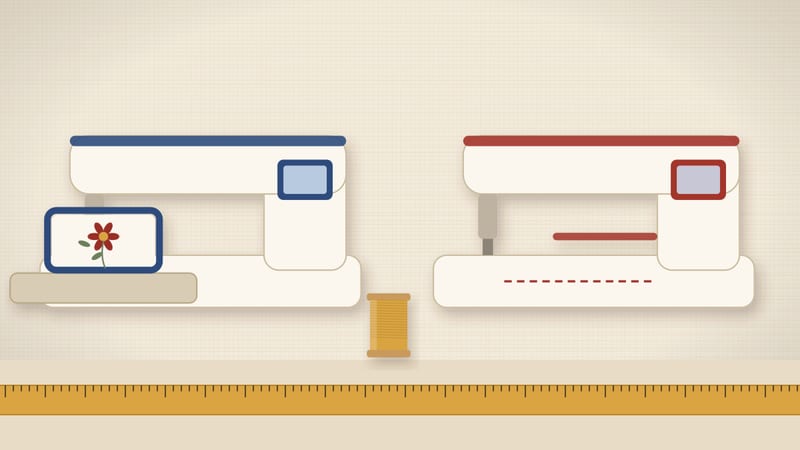
Both machines take a 5×7 in hoop, and Brother lists the field as 130 × 180 mm on each. The SE2000 adds 241 sewing stitches; the PE900 is embroidery-only. So the deciding question is simple: do you already own a sewing machine you like?
Spec sheet, side by side
3 of 9 fields differ
Seven of the nine rows match. Field, designs, embroidery speed and the detachable unit are the same. Only machine type and sewing capability differ.
That makes this an easy comparison on paper. The hard part is your workspace and your habits. We sort those out below.
Our assumptions
- Every spec value comes from Brother USA spec pages, checked on 2026-10-25. Each row shows that date.
- Field sizes are Brother's listed mm. We never convert the inch class name into mm.
- Design sizes in the job table are typical examples, not Brother data.
- Batch times use the 650 spm maximum. Real stitching runs slower on dense areas and color changes.
- We do not rate build quality, noise or ease of use. Those are not on a spec sheet.
If a value on Brother's page changes, we update the row and its date. If you spot a mismatch, the contact page reaches us.
| Job | PE900 | SE2000 |
|---|---|---|
| Left-chest logo, 100 mm wide | Fits the 130 × 180 mm field | Fits the 130 × 180 mm field |
| Tote bag panel, 125 × 175 mm | Fits, close to the edge | Fits, close to the edge |
| Design 150 mm on both sides | Split or resize | Split or resize |
| Hem a pair of trousers | Needs a second machine | Built-in sewing stitches |
| Sew a zip pouch, then monogram it | Two machines | One machine, two modes |
| Embroider while you sew a second item | Possible with two machines | One job at a time |
Hoop and field: a tie
Brother lists a 130 × 180 mm embroidery field for both machines. That is the 5×7 in hoop class. Nothing on either spec page points to a larger hoop.
In practice, a design up to 130 mm on its short side fits. The long side can run to 180 mm. Both orientations count, so a 170 × 120 mm design fits once rotated.
Past 130 mm on both sides, neither machine stitches it in one hooping. You would resize the design or split it into two parts. A 6×10 in class needs a different machine.
Use the finder if you are unsure about a file. Type the width and height, in mm or inches. It checks both orientations against the Brother field.
Here is what fits inside 130 × 180 mm, by common job. A left-chest logo is usually 75 to 100 mm wide. A hand-towel border might run 170 mm long and 60 mm tall. A tote panel can use nearly the full field.
Baby bibs, patches and napkin corners also sit well inside it. Full jacket backs do not. Those need 200 mm or more on one side.
So the 5×7 in class covers most home projects. It is the step up from 4×4 in, where the field stops at 100 × 100 mm. Both machines here sit on that same step.
Designs and speed: also a tie
Brother lists 193 built-in designs on both models. The two machines share the same design count, so neither wins here.
Embroidery speed is listed at 650 stitches per minute on both. A 10,000-stitch design takes about 15 minutes at full speed on either one. Real time runs longer, since color changes stop the machine.
So if your plan is embroidery only, the two machines stitch the same files at the same rate. The rest of this page is about sewing.
Sewing: the real difference
The PE900 has no sewing stitches. Hems, zips and seams stay on another machine. That is fine if you already own one.
The SE2000 lists 241 built-in sewing stitches. Brother rates its sewing speed at 850 stitches per minute. Brother lists the embroidery unit as detachable. You sew with the unit off, then attach it again to embroider.
That switch takes a few steps each time, and the manual lists them. If you switch several times a day, two machines can feel faster.
One more point: a combo does one job at a time. With a PE900 and a separate sewing machine, one can embroider while you sew on the other. That matters for batches of 10 or more pieces.
Think about how often you switch. Say you sew a pouch, embroider its flap, then sew it closed. On the SE2000 that is two switches per pouch. On two machines it is zero.
For one gift, that hardly matters. For 12 matching pouches, batching helps. Sew all 12 flaps first, then attach the unit once and embroider all 12. The combo works fine with that habit.
The 241 stitches make the SE2000 a full sewing machine in the same body. If your current machine sews well, that adds little. If your current machine is failing, it adds a lot.
Workspace and setup
Count your table space first. Two machines need two spots, two power points and room for two hoops in motion. One combo needs one spot.
With the embroidery unit attached, both machines need clear space behind and beside the arm. The hoop carriage moves in both directions, so keep that area clear of mugs and fabric piles.
Small rooms push people toward one machine. A shared desk or a fold-away setup favors the SE2000. A dedicated sewing room favors the PE900 plus a second machine.
Batch time, worked out
Both machines embroider at 650 spm, so batch time depends on your workflow, not the model. Here is a worked example with round numbers.
Take a 6,500-stitch logo. At full speed that is 10 minutes of stitching. Add about 5 minutes per piece for hooping and thread changes. That is roughly 15 minutes each.
For 20 shirts, that comes to about 5 hours of embroidery. With a PE900 plus a sewing machine, you can hem or sew labels during those 5 hours. With an SE2000, sewing waits until embroidery ends.
So the PE900 setup saves wall-clock time on mixed jobs. The SE2000 saves table space and a second purchase. Neither one stitches the logo faster.
If you outgrow 5×7 in
Neither model takes a larger hoop class, per Brother's spec pages. If you later need 160 × 260 mm, you move to a 6×10 in machine.
That affects resale thinking. With a PE900, you keep your sewing machine and replace only the embroidery side. With an SE2000, you might keep it for sewing and add an embroidery-only machine later.
Both paths work. The SE2000 path can leave you with two machines that both embroider. The PE900 path keeps one job per machine.
Who should pick which
Pick the PE900 if…
- You own a sewing machine you like.
- You want to embroider and sew at once.
- Your designs stay at 130 × 180 mm or under.
- You run small batches of 10 or more.
Pick the SE2000 if…
- The table has room for one machine.
- You sew garments, then monogram them.
- You want 241 stitches and 193 designs in one body.
- You are buying your first machine of any kind.
If you own no sewing machine, the SE2000 covers both jobs. If you own one, the PE900 avoids paying twice for sewing.
Still unsure? Look at your last 10 projects. Count how many needed both sewing and embroidery on the same day. If it is more than half, one combo saves table shuffling. If it is under a third, two machines keep each job simple.
Gift buyers have one more angle. A beginner with no machine at all gets more from the SE2000. A quilter with a favourite machine gets more from the PE900.
What stays the same either way
Supplies do not change between these two. You still need stabilizer, embroidery thread and a fresh needle. Our stabilizer chart covers the choice fabric by fabric.
Hooping skills carry over too. Fabric should sit flat and firm, with no ripples. A loose hoop causes gaps and puckers on either machine.
Design files move the same way on both. You load them from a computer or another device, as the manual describes. Check that your file is no larger than 130 × 180 mm first.
Before you buy
- Measure your largest planned design in mm. Over 130 mm on both sides means neither fits.
- Count the machines you already own. One good sewing machine points to the PE900.
- Check your table width. One spot means the SE2000.
- Read the Brother spec page on the day you buy. Listings change.
If the 5×7 in class feels too small, compare a 4×4 in combo too. The SE700 vs SE2000 page covers that step. Our chart lists every Brother model we track.
Your first month on either one
The first month looks much the same on both machines. You learn to hoop, pick a stabilizer and thread the machine. None of that depends on the sewing side.
Start with built-in designs. With 193 to choose from, you can practise for weeks before buying files. Pick small ones first, under 80 mm, on a stable cotton.
Next, try a design near the field limit. A 120 × 170 mm motif shows how hoop tension holds up across the full area. Puckers there usually point to loose hooping or thin stabilizer.
On the SE2000, also sew a few simple projects. A tote or a cushion cover gives you a base to embroider on. On the PE900, your existing machine does that part.
Keep a small log of each test: design size, fabric, stabilizer and result. Ten entries in, patterns show up. That log helps far more than any spec difference between these two.
Hoops and extras
Both machines use the 5×7 in hoop class. A spare hoop lets you hoop the next piece while one stitches. For batches, two hoops roughly halve the waiting between pieces.
Buy spare hoops by model, not by size alone. Brother lists which frames fit each machine. A frame sold as 5×7 in for another brand may not attach.
Other extras are the same for both: cut-away and tear-away stabilizer, 40 wt embroidery thread, prewound bobbins and 75/11 needles. Our 75/11 needle page explains when to size up.
Common mix-ups
People sometimes assume the combo has a bigger hoop because it costs more. It does not. Both list the same 130 × 180 mm field.
Others assume the embroidery-only model embroiders faster. It does not either. Brother lists 650 spm on both.
A third mix-up is design count. Both list 193 built-in designs. Any extra value in the SE2000 is in sewing, not embroidery.
Last, model names change by region and retailer. Match the model number on the box to the Brother spec page. Bundles with extra hoops or thread are still the same machine.
Common questions
Do the PE900 and SE2000 take the same hoops?
Both list a 5×7 in class with a 130 × 180 mm field. Check the Brother accessory list for the exact hoop part before buying a spare.
Is the SE2000 slower at embroidery?
No. Brother lists 650 stitches per minute for embroidery on both machines.
Can the SE2000 sew with the embroidery unit attached?
Sewing is done with the embroidery unit removed. The manual lists the steps for taking it off and putting it back.
Which has more designs?
Neither. Brother lists 193 built-in designs on each.
Is either model discontinued?
Brother listed both as current on 2026-10-25. The PE800 is the older, discontinued sibling of the PE900.
Read next
Sources
- Brother USA, PE900 product and specification page (5×7 in field 130 × 180 mm, 193 designs, 650 spm), checked 2026-10-25.
- Brother USA, SE2000 product and specification page (5×7 in field 130 × 180 mm, 193 designs, 241 stitches, 850 spm sewing), checked 2026-10-25.