
Compare
Brother PE800 vs PE900: What Changed and Which to Buy Now
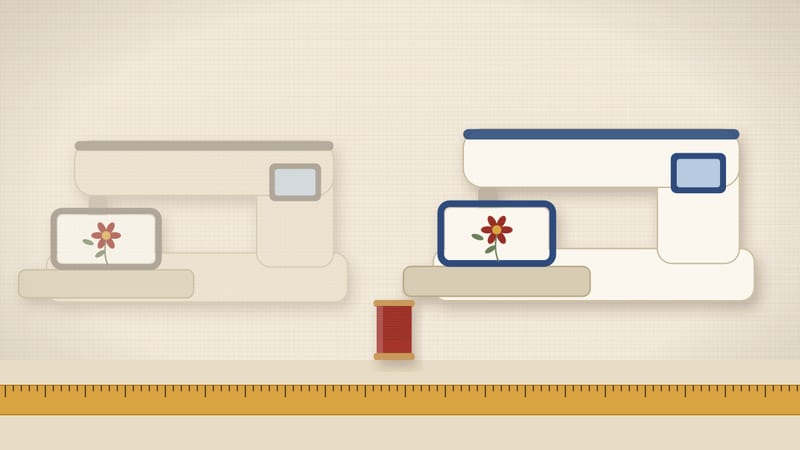
The PE800 and PE900 share one embroidery field: Brother lists 130 × 180 mm on both. The PE900 lists 193 built-in designs to the PE800's 138, and it is the one still in production. Buy the PE900 new, or a used PE800 only after a test stitch-out.
Spec sheet, side by side
2 of 7 fields differ
Five of seven rows match. Machine type, hoop class, field, detachable unit and no sewing stitches are the same. Design count and status differ.
So the PE900 is a refresh, not a size upgrade. Your hoop limit stays at 130 × 180 mm either way. If you need a bigger field, neither model is the answer.
Our assumptions
- Every spec comes from Brother USA pages, checked on 2026-10-25. Each row in the sheet shows that date.
- Field sizes are Brother's listed mm. We do not convert inch class names into mm.
- We leave out values Brother does not state clearly for the PE800, such as its top speed and font count.
- We do not judge build quality or wear. A used machine is only as good as its last owner kept it.
- Situations in the tables are our examples, not Brother data.
Where a value is missing for the PE800, we say so instead of guessing. The PE900 lists 650 stitches per minute. We do not compare speed, because the PE800 figure is not on a current Brother page.
| Situation | PE800 (used) | PE900 (new) |
|---|---|---|
| You want 5×7 in embroidery only | Same 130 × 180 mm field | Same 130 × 180 mm field |
| You want the most built-in designs | 138 designs | 193 designs |
| You want a machine still in production | Discontinued | Current |
| You buy from a local seller you can visit | Workable with a test stitch-out | Not needed |
| You want an Amazon-sold, in-stock listing | Not offered here | Listed below |
| You mostly stitch your own design files | Built-in count matters less | Built-in count matters less |
What changed from PE800 to PE900
Brother's spec pages show two clear changes. The design count rose from 138 to 193. And the PE800 moved to discontinued status while the PE900 stays current.
The field did not change. Both list the 5×7 in class at 130 × 180 mm. The embroidery unit on both detaches, per Brother.
Neither model sews. Both are embroidery-only, so either one sits next to a separate sewing machine.
Other differences may exist, such as screens or file transfer. We do not list them, because we could not confirm them on a current Brother page. Check the Brother page for any feature you need before you buy.
Do 55 extra designs matter?
It depends on how you work. If you stitch built-in designs, 55 more gives you more choice from day one. That is about 40% more designs.
If you mostly load your own files, the built-in count matters far less. Most home embroiderers buy or digitize designs within a few months. The machine stitches any file that fits the field.
So the extra designs are a bonus, not a reason on their own. Field size and condition matter more.
One practical test: open the built-in list on the Brother page and count the designs you would actually stitch. If it is under 10 on either list, ignore the gap.
Same field, same limits
Both models stitch up to 130 mm on one side and 180 mm on the other. Rotate a design if it is wider than it is tall. A 170 × 120 mm file fits once turned.
Past 130 mm on both sides, neither one fits it. You would resize the file or split it into two hoopings. Our hoop size finder runs that check in mm or inches.
Typical 5×7 in jobs fit well on either: left-chest logos, towel borders, tote panels and baby bibs. Jacket backs need a 6×10 in class or larger.
Discontinued: what it means for you
Discontinued means Brother no longer makes the PE800. You find it used, refurbished or as old stock.
That has three effects. Fewer new units are around, so sellers vary a lot. Warranty terms depend on the seller, not on a new-machine purchase. And over time, spare parts and accessories get harder to find.
The 5×7 in hoop class itself is still common. Check the Brother accessory list to confirm a frame fits the PE800 before you buy a spare.
None of this makes a used PE800 a bad machine. It makes the seller and the test stitch-out more important. Our discontinued models page tracks which current model replaces each older one.
If you look at a used PE800
A used PE800 can make sense when the seller is local and lets you test it. Ask to see it stitch one built-in design on scrap fabric with stabilizer.
Watch the whole design run. The hoop carriage should move smoothly in both directions. Stitches should sit flat, with no loops on top and no bird nests underneath.
Check that the embroidery unit and the 5×7 in hoop come with it. A machine without its unit cannot embroider. A hoop with a cracked inner ring cannot hold fabric firmly.
Ask for the manual, or save a copy from Brother's site. Match the model plate to the listing. If any check fails, walk away and look at the PE900.
| Check | What to look for |
|---|---|
| Embroidery unit | Included, attaches firmly, carriage moves freely |
| 5×7 in hoop | Included, inner ring not cracked, clip intact |
| Test stitch-out | One built-in design on scrap fabric with stabilizer |
| Manual and cord | Present, or the manual saved from Brother's site |
| Model plate | Reads PE800, matching the listing |
Questions to ask a seller
Good questions save a wasted trip. Ask them before you travel, and keep the answers in writing.
First, ask how long the seller has owned it and how often it ran. A machine used weekly for 2 years differs from one stored in a box.
Second, ask when it was last serviced and by whom. A receipt from a dealer helps. No service record is common, so weigh it with the test stitch-out.
Third, ask what comes with it. You want the embroidery unit, the 5×7 in hoop, the foot pedal if any, the cord and the manual. Missing parts add cost and time.
Fourth, ask why they are selling. Upgrading to a larger hoop is a common, harmless answer. Vague answers are a reason to test extra carefully.
Last, ask if you can bring your own fabric and stabilizer. A cotton square with tear-away stabilizer shows a lot in 10 minutes.
Who should pick which
Pick the PE900 if…
- You want a current model, sold new.
- You want 193 built-in designs.
- You cannot test a used machine in person.
- You want an in-stock Amazon listing.
A used PE800 can work if…
- You can watch it stitch a full design.
- The unit and 5×7 in hoop come with it.
- You mostly stitch your own files.
- You accept a discontinued model.
For most first-time buyers, the PE900 is the simpler choice. It is current, it lists more designs and it has the same field. The PE800 is a fair second-hand option when the test goes well.
Gift buyers should lean to the PE900 too. A new machine arrives complete, with its manual and hoop. A used one needs someone to check it first, and the person you buy for may not want that job.
If you plan to resell later, think about status too. A current model is easier to describe to the next buyer. A discontinued one needs a longer listing and more questions answered.
Already own a PE800?
If your PE800 stitches well, there is little reason to switch. The field is the same 130 × 180 mm. Your hoops, stabilizers and files still work.
Switch if you want more built-in designs or a model still in production. Also switch if your PE800 needs repairs that cost a large share of a new machine.
If you need a bigger field, skip the PE900. Look at a 6×10 in machine instead. The PE800 to PE900 step does not add hoop space.
What carries over between them
Supplies are the same for both machines. You need stabilizer, 40 wt embroidery thread, bobbin thread and 75/11 embroidery needles. Our stabilizer chart covers which one to use by fabric.
Skills carry over too. Hooping fabric flat and firm matters more than the model. A loose hoop gives gaps and puckers on either one.
Design files that fit 130 × 180 mm work on both, as long as you load them the way each manual describes. Size every file before you stitch it.
So if you start on a used PE800 and later buy a PE900, little is lost. Your hoops may fit, your supplies do, and your skills move with you.
First projects on either machine
Start small. A 60 mm built-in motif on stable woven cotton is a clean first test. Use medium tear-away stabilizer under it.
Next, try a 100 mm design on a knit, such as a T-shirt. Knits stretch, so switch to cut-away stabilizer. This step teaches most of the hooping lessons.
Then try a design near the field limit, about 120 × 170 mm. That shows how well the hoop holds across the full 130 × 180 mm area.
Keep notes on each run: size, fabric, stabilizer and result. After 10 runs you will know your machine better than any spec sheet can tell you.
Reading a PE800 or PE900 listing
Listings mix facts and sales copy. Pull out four things first: model number, what is in the box, condition and seller.
The model number should read PE800 or PE900 on the machine plate, not just in the title. Some titles name both models to catch searches.
What is in the box decides what you can stitch on day one. You need the embroidery unit and the 5×7 in hoop at a minimum.
Condition words vary. New, open box, refurbished and used mean different things on each marketplace. Read the seller terms for each one.
Seller type matters most for the PE800. A dealer may test and service it. A private seller usually sells it as is. For the PE900, an in-stock listing sold by Amazon keeps returns simple.
Other options at 5×7 in
If you also want to sew, the SE2000 takes the same 130 × 180 mm field and adds 241 sewing stitches. Our PE900 vs SE2000 page covers that choice.
If 4×4 in is enough, the SE700 lists a 100 × 100 mm field and 135 designs. It also sews. That is a smaller, combined step in.
Our Brother comparison chart lists all these models in one table, with hoop class, design count, speed and status.
Common mix-ups
Some listings call the PE800 and PE900 the same machine. They are not. The design counts differ, and so does their status.
Others assume the newer model takes a bigger hoop. Brother lists the same 130 × 180 mm field for both.
Bundles add confusion. Extra thread or hoops do not change the machine inside the box. Match the model number on the box and the machine plate.
Last, a refurbished listing is not the same as new. Read the seller terms before you buy either model that way.
Common questions
Is the PE800 hoop the same size as the PE900 hoop?
Both list a 5×7 in class with a 130 × 180 mm field. Confirm the exact frame part on Brother's accessory list.
How many designs does each have?
Brother lists 138 built-in designs for the PE800 and 193 for the PE900.
Is the PE800 still made?
No. Brother lists it as discontinued. The PE900 is the current model.
Can either one sew?
No. Both are embroidery-only. For sewing in the same body, look at the SE2000.
Is the PE900 faster than the PE800?
Brother lists 650 spm for the PE900. We could not confirm a PE800 figure on a current Brother page, so we do not compare speed.
Read next
Sources
- Brother USA, PE800 product page and manual (5×7 in field 130 × 180 mm, 138 designs, listed as discontinued), checked 2026-10-25.
- Brother USA, PE900 product and specification page (5×7 in field 130 × 180 mm, 193 designs, 650 spm), checked 2026-10-25.
- Brother USA, embroidery hoop and frame accessory pages (field sizes in mm for the 4×4, 5×7, 6×10 and 8×12 in classes), checked 2026-10-25.